Skip to content

Now booking pilot sites

Shelf Count — Weight-sensing smart shelves for cafés, shops and warehouses

Shelves that count themselves. Every section sits on a scale, so Shelf Count always knows how many items are on it, tells the manager what needs them and sends the reorder to your ERP.

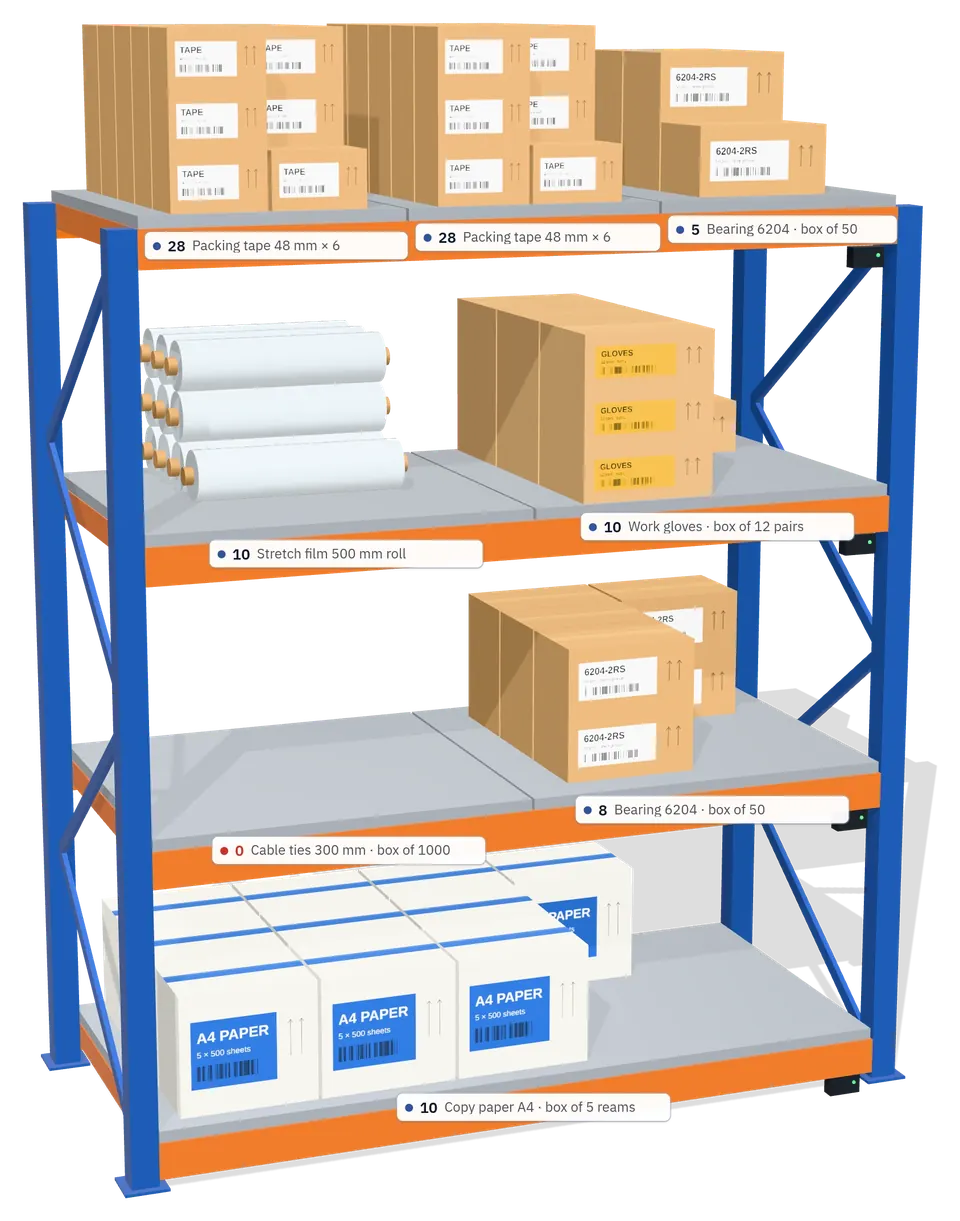
3D view of a warehouse rack in Shelf Count, with the live count on every section's label
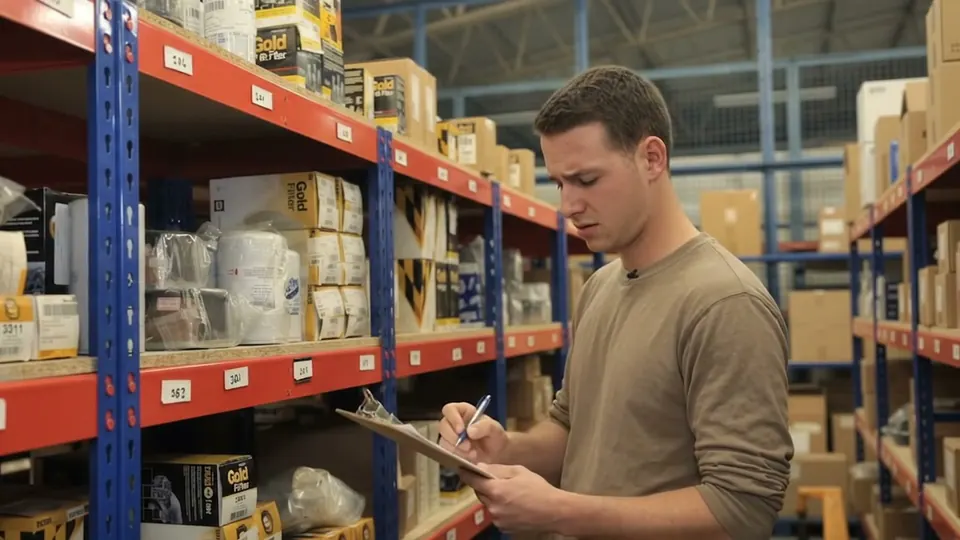
A warehouse worker counting boxes on a shelf by hand, with a clipboard

The weekly count

All morning with a clipboard, and still no answer.

Counting by hand takes hours, and the sheet is out of date the moment you write it down. So shelves run empty before anyone notices, or get ordered twice, just in case.

Counted by hand

Illustration
ItemWritten at 07:10On the shelf now
Filter 29111311
Filter 3351149
Filter 3495Empty since 10:58. Nobody noticed.60
Filter 34971211
Filter 587087

Slow.Stressful.Always out of date.

What if the shelf counted itself?

How it works

Every section sits on a scale.

Weight on the sensor ÷ the weight of one item = how many are on the shelf. Take one and the count drops. No barcodes to scan, no tags, no cameras.

Product on this section

Rack A-02 · level 2 · section 2

Weight on the sensor
13.00 kg
One box
2.60 kg
On the shelf
5

In stock

Loose goods such as coffee beans or rice can be counted in kilograms instead.

One empty shelf, start to finish

From the last box taken to the refill, nobody counts a thing.

  1. 10:42

    The last box is taken.

    The section's weight drops to 0.00 kg. Shelf Count knows the shelf is empty before anyone walks past it.
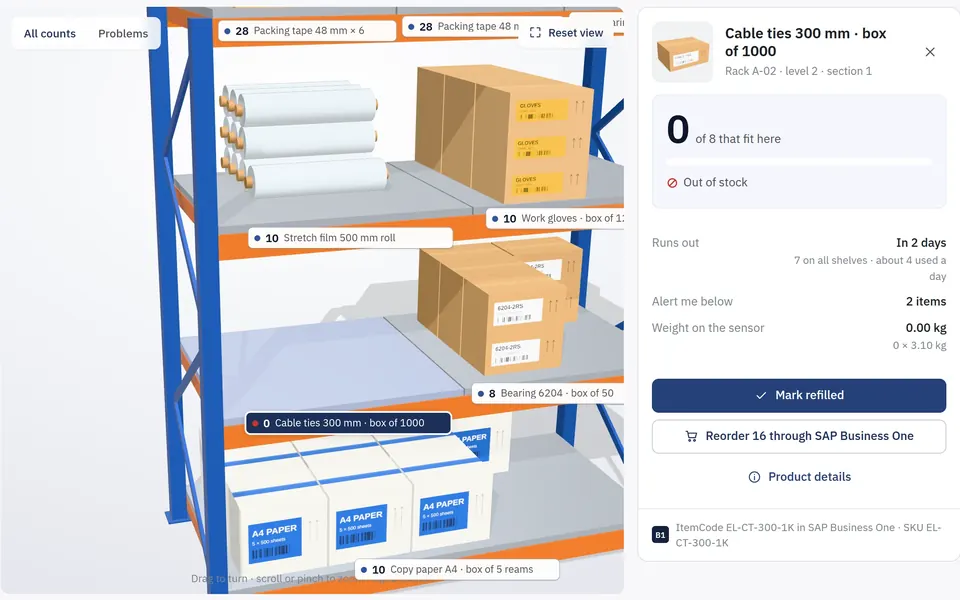
    Shelf Count's 3D shelf view with the cable-ties section empty and its panel showing 0 of 8, out of stock
  2. 10:42

    It's on the Today list straight away.

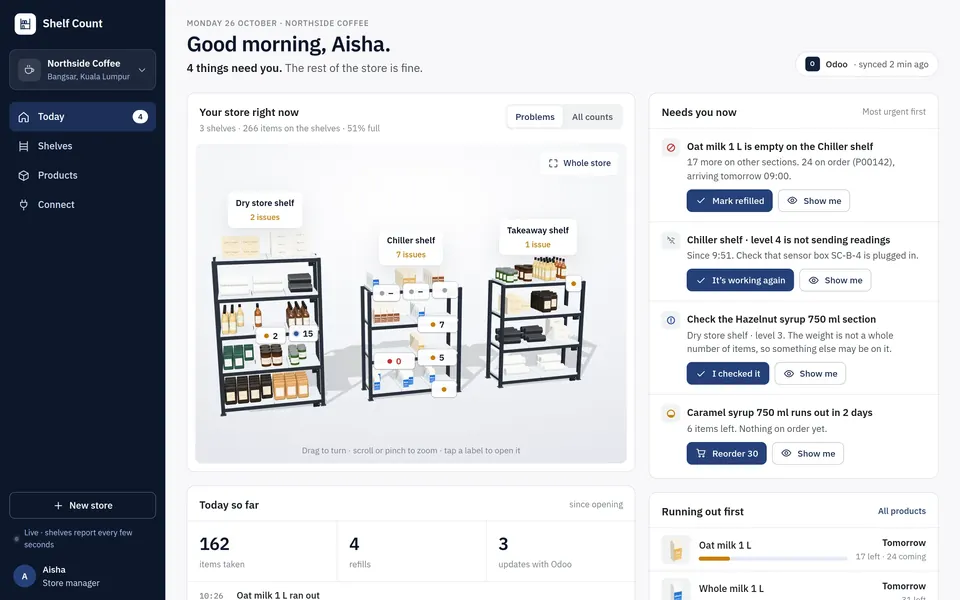
    One list of what needs the manager, in plain words and most urgent first: empty shelves, sensors that stopped reporting, odd weights and items about to run out.
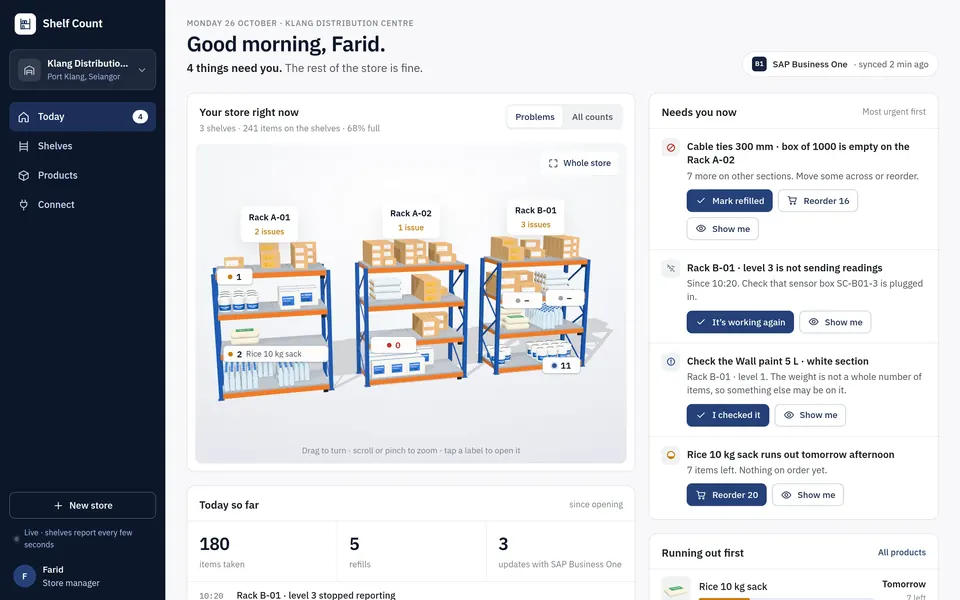
    The Today page in Shelf Count: four things need the manager, with the empty cable-ties section first
  3. 10:42

    And on your phone, wherever you are.

    The same app on a phone, installed from the browser. Alerts arrive as push notifications, in the app and by email.
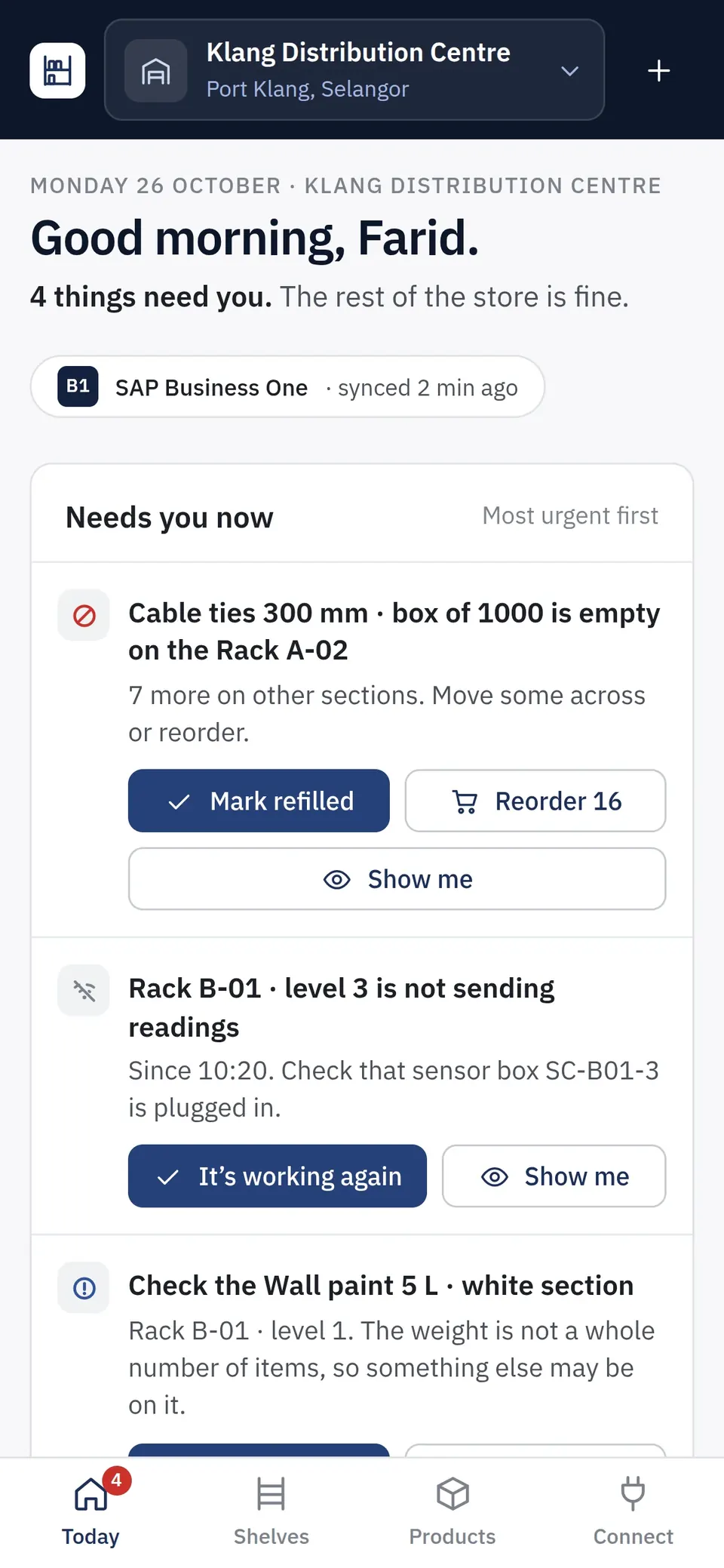
    Shelf Count on a phone, showing the Today list for Klang Distribution Centre
  4. 10:43

    One tap sends the reorder to your ERP.

    Shelf Count suggests the quantity that fills the shelves back up, then creates your ERP's own document: a purchase request, a draft order or a transfer from your central warehouse.
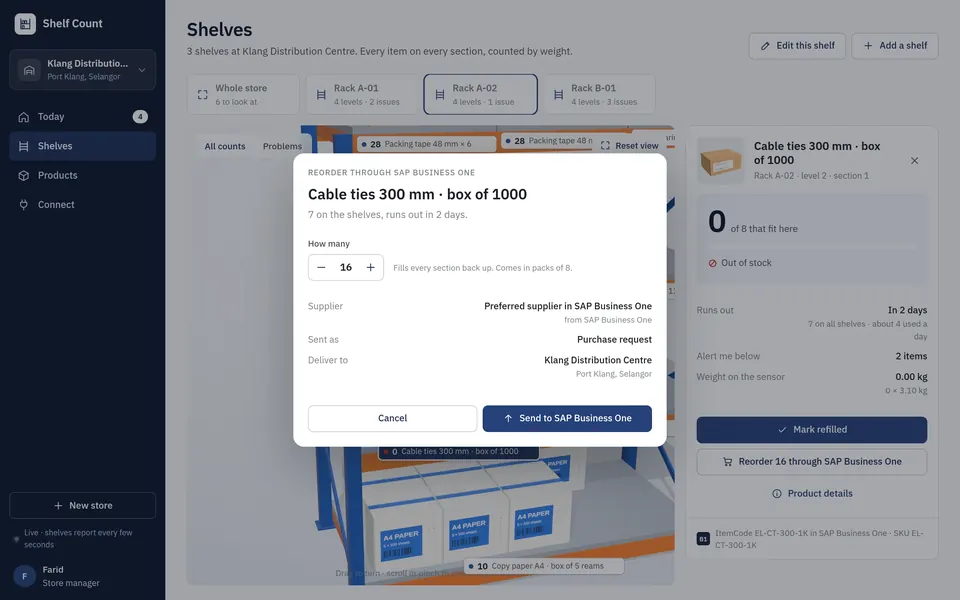
    Reorder dialog sending 16 boxes of cable ties to SAP Business One as a purchase request
  5. 10:43

    Logged both ways.

    Every message to and from the ERP is listed: products coming in, purchase requests going out, deliveries on the way.
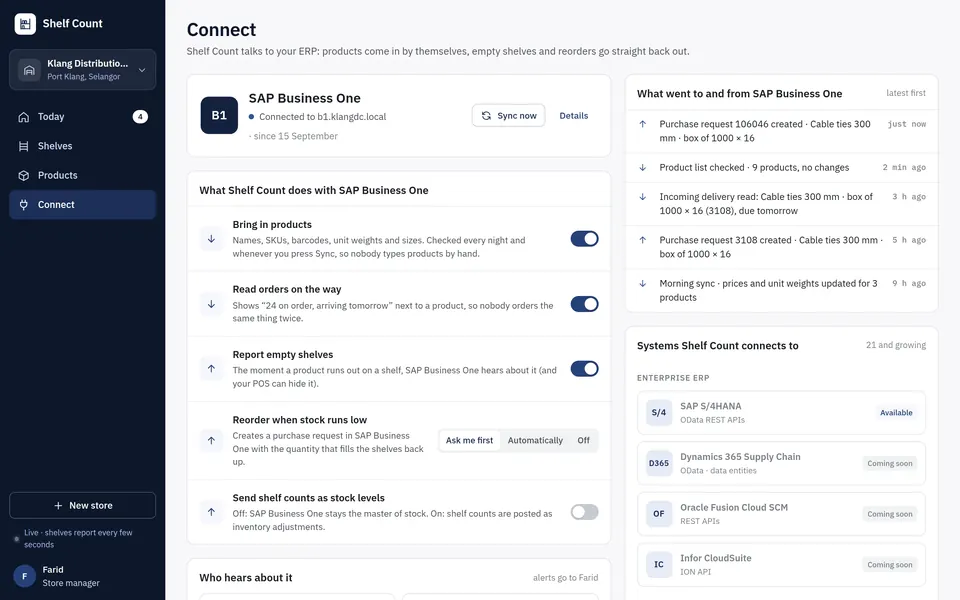
    The Connect page: the new purchase request at the top of the log with SAP Business One
  6. Tue 07:39

    Refilled, and confirmed by weight.

    When the delivery is put away, each item is counted as it lands. Nobody has to tick anything off.
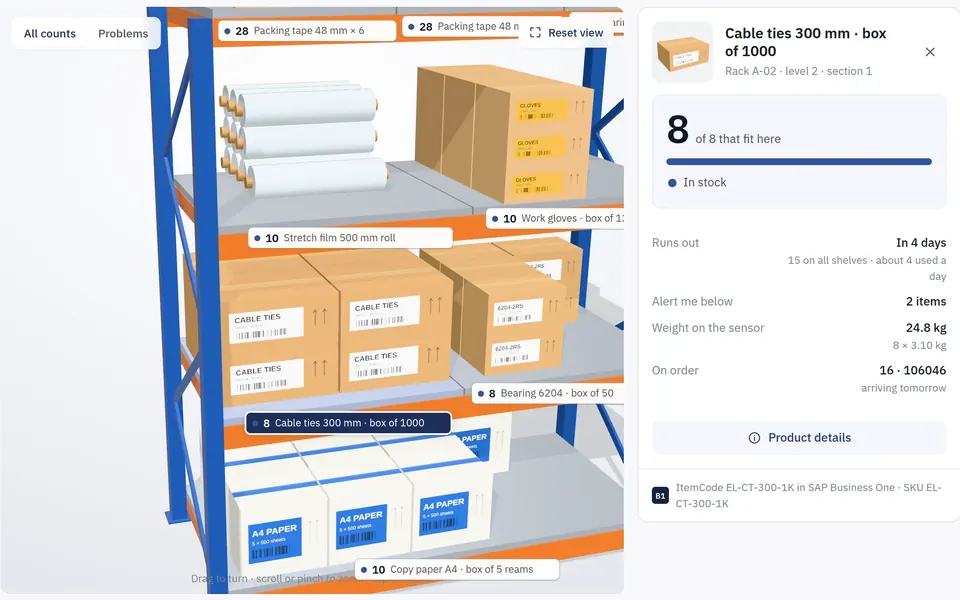
    The same section refilled: 8 of 8 boxes, in stock, with 16 more on order

Screens from the Shelf Count app, with demo data.
Watch

Shelf Count in two minutes

From a morning lost to the clipboard to a shelf that counts itself: the whole idea, shown in the app.

Any business

Cafés. Shops. Warehouses.

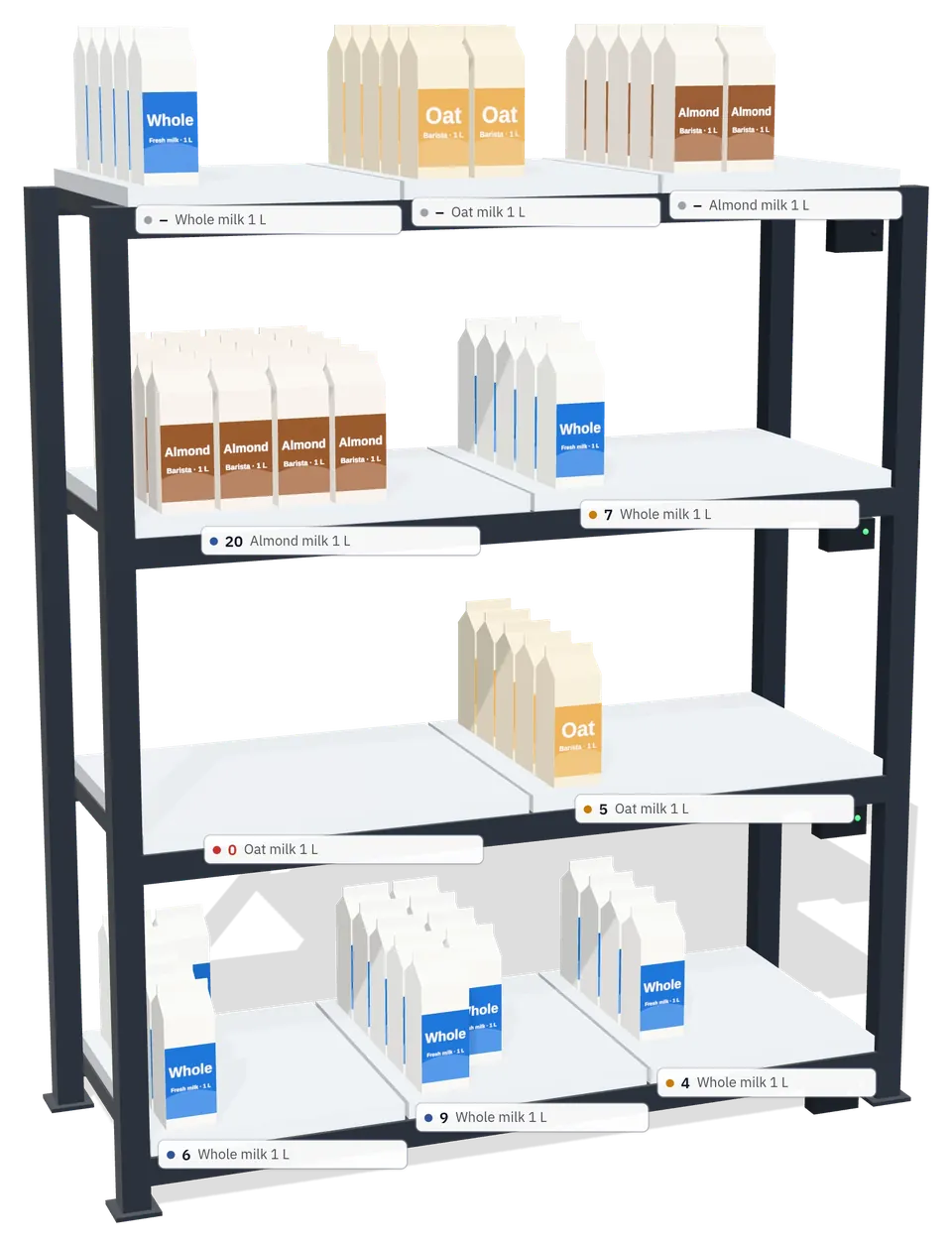
The same app, sized to what you stock. Every product is drawn in 3D, so 20 cartons on a section look like 20 cartons.

3D café shelf with milk cartons, each section labelled with its live count

Café or restaurant

Coffee beans, milk, syrups, cups and lids

  • Milk counted carton by carton in the chiller
  • Know what runs out before the afternoon rush
  • Reorder from the supplier, or as a transfer from your central kitchen
1209030606060303030303030
12
Weighing platforms
48
Load cells
5
Sensor boxes
Tap a level to change how it is split.

The hardware

One rack. Five ways to split a level.

A modular steel rack with independent weighing platforms. Each level can be one 120 cm platform or split into 90, 60 and 30 cm sections, so big cartons and small packs share the same rack.

Questions managers ask

Do we need to tag or scan every item?

No. The shelf weighs what is on it and divides by the weight of one item. Nothing is stuck on products and nobody scans anything.

Where do the unit weights come from?

From your ERP or product list. ERP weights are sometimes gross (with packaging) or missing; staff can then weigh one item on the shelf to set it.

What if someone leaves something else on a shelf?

If the weight is not a whole number of items, the section is marked Check shelf and stays on the Today list until someone looks.

What happens if a sensor box goes offline?

Its level shows No signal and the Today list says which box to check. Counts pick up again as soon as it reports.

Does it change the stock in our ERP?

Only if you want it to. Your ERP stays the master of stock: Shelf Count sends alerts and reorders, and posts counts as stock adjustments only when you switch that on.

We don't have an ERP. Can we still use it?

Yes. Add products from a spreadsheet or type them in during setup, and get alerts and reorder suggestions in the app.

What about loose goods like coffee beans or rice?

They can be counted in kilograms instead of items.

Stop counting by hand. Let the shelves do it.

Built by IoT Systems, the engineering team behind Reflex I/O and IoT Pulse.

Book a pilot

Reflex I/OPulse SeriesCustom IoT Software